


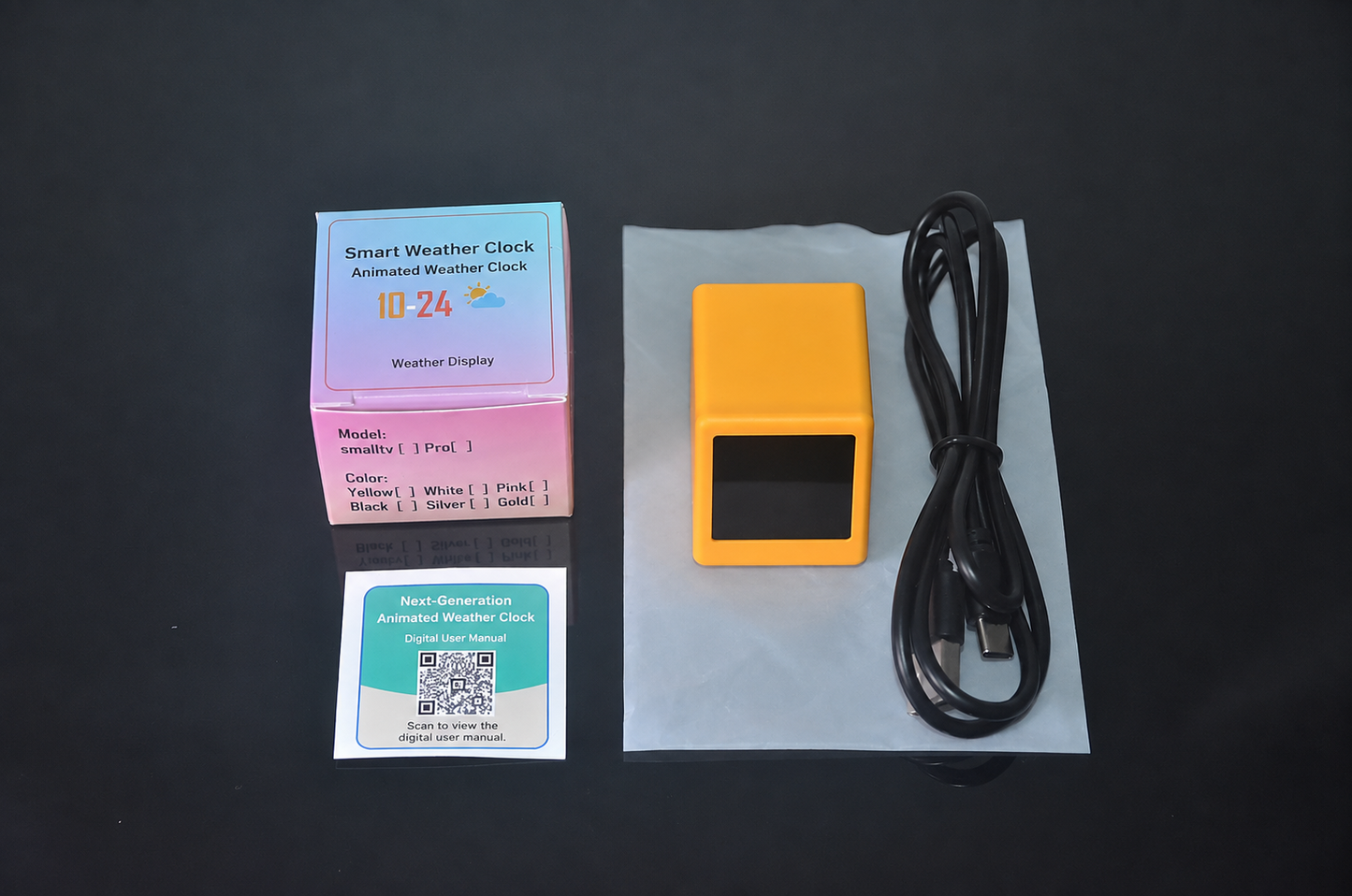
Your Clock, Weather Display
and Pixel Canvas in One
A compact WiFi desktop display for time, weather, countdowns, photos and animated pixel content—designed to make your desk more useful, expressive and personal.
MORE THAN A DIGITAL CLOCK
A Personalized Companion for Your Desk
Keep useful daily information visible while displaying your own animations and images. Its compact pixel-inspired design fits naturally into offices, bedrooms, study spaces and gaming setups.
Weather & Time
Display the current time, date and network-provided weather information in a clear, colorful layout.
Custom Animations
Upload compatible GIF animations and turn the small display into a personal pixel-art canvas.
Photo Display
Supported versions can display photos and visual content as a compact desktop album.
Countdown Events
Keep birthdays, holidays, launches and other important dates visible with supported countdown displays.
CHOOSE YOUR VERSION
V3 to V6 Feature Options
Functions vary by version. Review the differences below before selecting your preferred model and color.
Weather Edition
• Weather and clock display
• 20 small built-in animations
• White, Black or Yellow
Creative Edition
• Multiple display themes
• Full-screen animations
• Photo album function
• White, Black, Yellow or Pink
Offline Clock Edition
• Multiple display themes
• Full-screen animations
• Photo album function
• Offline clock mode
• White, Black or Yellow
Alarm Edition
• Multiple display themes
• Full-screen animations
• Photo album function
• Offline clock mode
• Alarm function
• White, Black or Yellow
PERSONALIZE YOUR SCREEN
Upload from a Phone or Computer
Compatible content can be managed through a browser, allowing you to upload animations and visual content without installing a dedicated app.
GIF Upload Guidelines
Designed for Everyday Setup
Compact, USB-powered and easy to place on a desk, shelf or bedside table.
Version & Network Compatibility
English Version
Designed to support weather and time information for major international cities.
Chinese Version
Intended for use in Mainland China, Hong Kong, Macau and Taiwan.
Network Requirement
Online weather and information updates require a stable compatible WiFi connection.
Made for Modern Spaces
A compact information display and creative decoration for different parts of your day.
Office Desk
Keep time, weather and visual reminders close at hand.
Gaming Setup
Add animated pixel content to a personalized gaming space.
Bedroom & Home
Use it as a small clock, information display or digital decoration.
Creative Gift
A distinctive gift for pixel-art fans and technology enthusiasts.
Product Specifications
Typical Package Contents
Package contents and cable color may vary by selected version or production batch. A wall power adapter is not confirmed as included.
Important Notes
- Select the correct V3, V4, V5 or V6 version according to the functions you need.
- Weather and online information require a compatible WiFi connection.
- Weather, temperature, humidity and air-quality information are network-sourced display data, not confirmed readings from built-in professional sensors.
- The device requires continuous USB power and is not confirmed to contain an internal rechargeable battery.
- GIF upload speed and animation duration depend on file size, compression and frame complexity.
- Functions and interface details may change after firmware updates.
- Actual colors and display effects may vary slightly because of lighting, screen settings and production batches.
Highlights explained
Time display
Desktop clock
The Desktop clock clock function keeps time information visible on the desk. Check setup and connectivity requirements and whether the chosen model supports operation without a network.
Connected information
WiFi weather
The WiFi weather function displays information through its supported service or network setup. Availability, refresh timing and accuracy depend on the connected data source and region.
Personal display
Version-dependent images and GIFs
The Version-dependent images and GIFs function adds supported images or animations to the desktop display. Check the selected version, file format, storage allowance and transfer method before preparing your content.
Screen
Pixel-style display
The listed Pixel-style display screen provides the product display area. Use the supported layouts and functions; screen size alone does not determine app compatibility or video capability.
Practical use
A personalized desk information screen
Use the product for A personalized desk information screen, with compatible equipment and the specified connection. Plan the space, power source and accessories needed for that task before ordering.
Before ordering
Version-dependent functions
The source describes V3–V6 differences but the menu lists colors. Confirm the actual version before relying on album, alarm or offline-clock functions.