


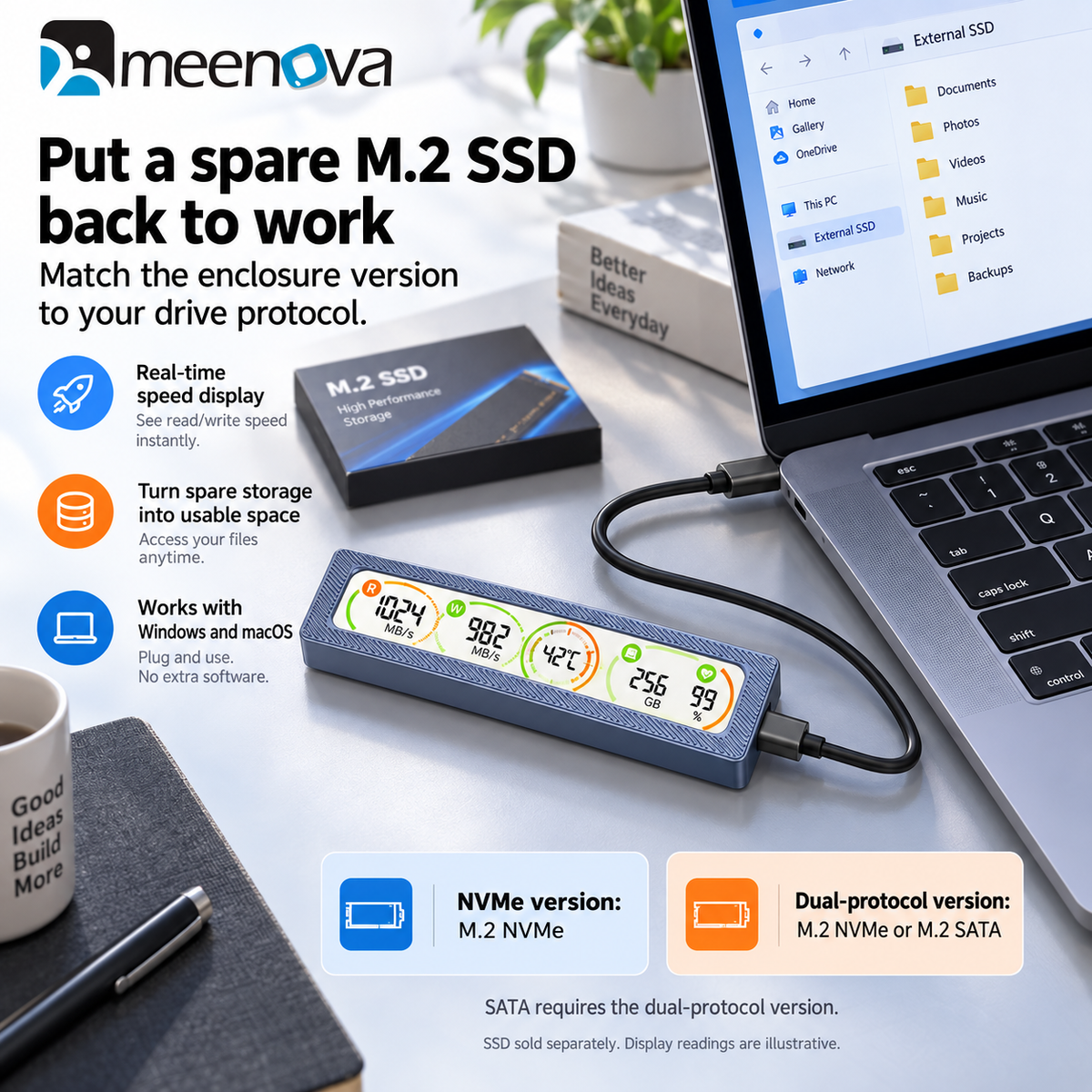
See Your SSD Status
While You Work
The Meenova Smart Display M.2 SSD Enclosure combines up to 10Gbps USB 3.2 Gen 2 transfer performance with a built-in display for real-time SSD monitoring.
Everything at a Glance
View current SSD read and write activity directly on the display.
Keep track of drive temperature and identify abnormal heat earlier.
Check SSD health information without constantly opening monitoring software.
Monitor operating voltage directly from the enclosure screen.
Visual sleep indication helps you know when the drive is inactive.
View power-on time and operating count for easier drive management.
High-Speed Data Transfer
Designed for fast file transfers, backups, media libraries, photography workflows and portable storage.
More Than Just an SSD Enclosure
Traditional external enclosures hide most drive information. Meenova puts essential operating data directly on the enclosure display.
Built for Everyday Storage
Office Work
Mobile Storage
Photo Backup
Video & Media
Choose Your Version
Available in NVMe-only and NVMe + SATA dual-protocol configurations.
NVMe Only
Designed for M.2 NVMe SSDs. Includes a 2-in-1 USB-C / USB-A to USB-C data cable.
NVMe + SATA Dual Protocol
Supports both M.2 NVMe and M.2 SATA SSD protocols. Includes a 2-in-1 USB-C / USB-A to USB-C data cable.
Technical Specifications
4.37 × 1.38 × 0.59 in
Highlights explained
Interface bandwidth
10Gbps
The listed interface rate is up to 10Gbps. Actual file-copy speed depends on both devices, the cable, storage, software and file sizes; interface bandwidth is not a guaranteed transfer speed.
Status monitoring
Drive status display
The Drive status display function makes supported operating information visible. Available measurements depend on the device, drive or software supplying the data; monitoring does not replace maintaining separate backups.
Storage protocol
NVMe / dual-protocol options
The listed drive protocol is NVMe / dual-protocol options. NVMe, SATA and their connector arrangements are not interchangeable; select the matching version before installing a drive.
Package selection
USB-C / USB-A cable
Check the USB-C / USB-A cable package and selected option before purchase. Demonstration phones, drives, watches or other props are not included unless the package description expressly lists them.
Practical use
Monitoring a portable drive while moving files
Use the product for Monitoring a portable drive while moving files, with compatible equipment and the specified connection. Plan the space, power source and accessories needed for that task before ordering.