


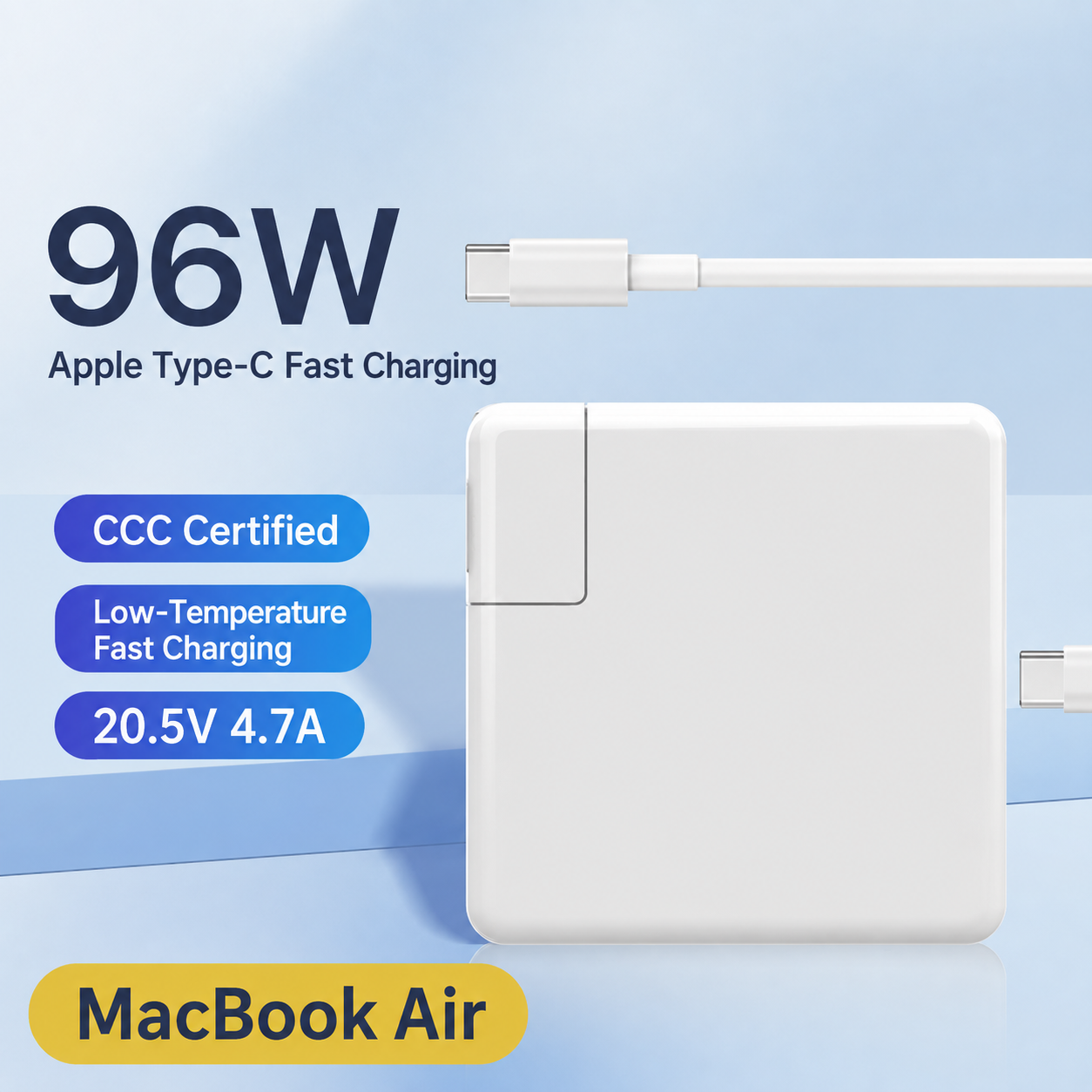
Reliable Power for Your MacBook Workspace
A USB-C Power Delivery adapter designed for MacBook Air and MacBook Pro users, offering multiple wattage options for everyday work, travel, and desktop charging.
A Simple Charging Solution for Your MacBook
Keep your laptop powered with a dedicated USB-C charging adapter designed for modern MacBook computers. Choose the suitable power version for your device and enjoy a cleaner, more convenient charging setup at home, office, or while traveling.
High-Power USB-C PD
Supports USB-C Power Delivery charging with different wattage options up to 96W for compatible laptops.
Multiple Power Choices
Available in 45W, 60W, 61W, 85W, 87W, and 96W versions to match different charging requirements.
Built for MacBook Users
Designed for compatible MacBook Air and MacBook Pro models using USB-C charging.
Home & Travel Ready
A practical replacement or secondary charger for offices, homes, and business trips.
Available Power Options
Designed for Everyday Charging
Keep a dedicated charger at your workstation for convenient daily use.
Carry a backup power adapter for business trips and remote work.
Create a cleaner charging station without moving your main adapter.
Compatibility
Compatible with MacBook Air and MacBook Pro models that support USB-C charging.
Charging performance depends on your device model, USB-C cable specification, and supported charging protocol.
Specifications
Important Notes
- Please select the appropriate wattage version according to your device requirements.
- Use a compatible USB-C cable to achieve higher power charging.
- Actual charging speed may vary depending on device condition and charging environment.
Highlights explained
Connector layout
MagSafe 1 / L tip
This product uses MagSafe 1 / L tip connections. Match the plug, socket and required function to your equipment; connector shape alone does not establish charging, data, audio or video support.
Maximum rated power
Selected adapter rating
Use the exact wattage shown in the selected option. The family contains different power supplies, not one universal adapter.
Practical use
Keeping a spare compatible MacBook power supply
Use the product for Keeping a spare compatible MacBook power supply, with compatible equipment and the specified connection. Plan the space, power source and accessories needed for that task before ordering.
Before ordering
Match the physical port
Compare the laptop charging connector and power requirements before purchase. MagSafe generations and USB-C are not interchangeable.
Package selection
Selected adapter version
Check the Selected adapter version package and selected option before purchase. Demonstration phones, drives, watches or other props are not included unless the package description expressly lists them.
Maximum rated power
Version-specific wattage
Choose the exact power rating shown with your connector option. USB-C, MagSafe 1, MagSafe 2 and MagSafe 3 options are different versions.
Connector layout
Choose the matching tip
This product uses Choose the matching tip connections. Match the plug, socket and required function to your equipment; connector shape alone does not establish charging, data, audio or video support.
Plug selection
Power-adapter setup
Choose the Power-adapter setup plug configuration that fits the intended outlet. A plug adapter changes the physical connection, not necessarily voltage. Check the product input rating before connecting it.
Practical use
A spare power supply for a compatible MacBook
Use the product for A spare power supply for a compatible MacBook, with compatible equipment and the specified connection. Plan the space, power source and accessories needed for that task before ordering.
Before ordering
Check the physical charging port
A MacBook model name is not sufficient. Confirm the physical connector and required charging power before selecting a variant.
Connector layout
MagSafe 1 / L tip
This product uses MagSafe 1 / L tip connections. Match the plug, socket and required function to your equipment; connector shape alone does not establish charging, data, audio or video support.
Maximum rated power
Selected adapter rating
Use the exact wattage shown in the selected option. The family contains different power supplies, not one universal adapter.
Practical use
Keeping a spare compatible MacBook power supply
Use the product for Keeping a spare compatible MacBook power supply, with compatible equipment and the specified connection. Plan the space, power source and accessories needed for that task before ordering.
Before ordering
Match the physical port
Compare the laptop charging connector and power requirements before purchase. MagSafe generations and USB-C are not interchangeable.
Package selection
Selected adapter version
Check the Selected adapter version package and selected option before purchase. Demonstration phones, drives, watches or other props are not included unless the package description expressly lists them.
Connector layout
MagSafe 2 / T tip
This product uses MagSafe 2 / T tip connections. Match the plug, socket and required function to your equipment; connector shape alone does not establish charging, data, audio or video support.
Maximum rated power
Selected adapter rating
Use the exact wattage shown in the selected option. The family contains different power supplies, not one universal adapter.
Practical use
Keeping a spare compatible MacBook power supply
Use the product for Keeping a spare compatible MacBook power supply, with compatible equipment and the specified connection. Plan the space, power source and accessories needed for that task before ordering.
Before ordering
Match the physical port
Compare the laptop charging connector and power requirements before purchase. MagSafe generations and USB-C are not interchangeable.
Package selection
Selected adapter version
Check the Selected adapter version package and selected option before purchase. Demonstration phones, drives, watches or other props are not included unless the package description expressly lists them.
Connector layout
MagSafe 3
This product uses MagSafe 3 connections. Match the plug, socket and required function to your equipment; connector shape alone does not establish charging, data, audio or video support.
Maximum rated power
Selected adapter rating
Use the exact wattage shown in the selected option. The family contains different power supplies, not one universal adapter.
Practical use
Keeping a spare compatible MacBook power supply
Use the product for Keeping a spare compatible MacBook power supply, with compatible equipment and the specified connection. Plan the space, power source and accessories needed for that task before ordering.
Before ordering
Match the physical port
Compare the laptop charging connector and power requirements before purchase. MagSafe generations and USB-C are not interchangeable.
Package selection
Selected adapter version
Check the Selected adapter version package and selected option before purchase. Demonstration phones, drives, watches or other props are not included unless the package description expressly lists them.
Connector layout
USB-C
This product uses USB-C connections. Match the plug, socket and required function to your equipment; connector shape alone does not establish charging, data, audio or video support.
Maximum rated power
Selected adapter rating
Use the exact wattage shown in the selected option. The family contains different power supplies, not one universal adapter.
Practical use
Keeping a spare compatible MacBook power supply
Use the product for Keeping a spare compatible MacBook power supply, with compatible equipment and the specified connection. Plan the space, power source and accessories needed for that task before ordering.
Before ordering
Match the physical port
Compare the laptop charging connector and power requirements before purchase. MagSafe generations and USB-C are not interchangeable.
Package selection
Selected adapter version
Check the Selected adapter version package and selected option before purchase. Demonstration phones, drives, watches or other props are not included unless the package description expressly lists them.