


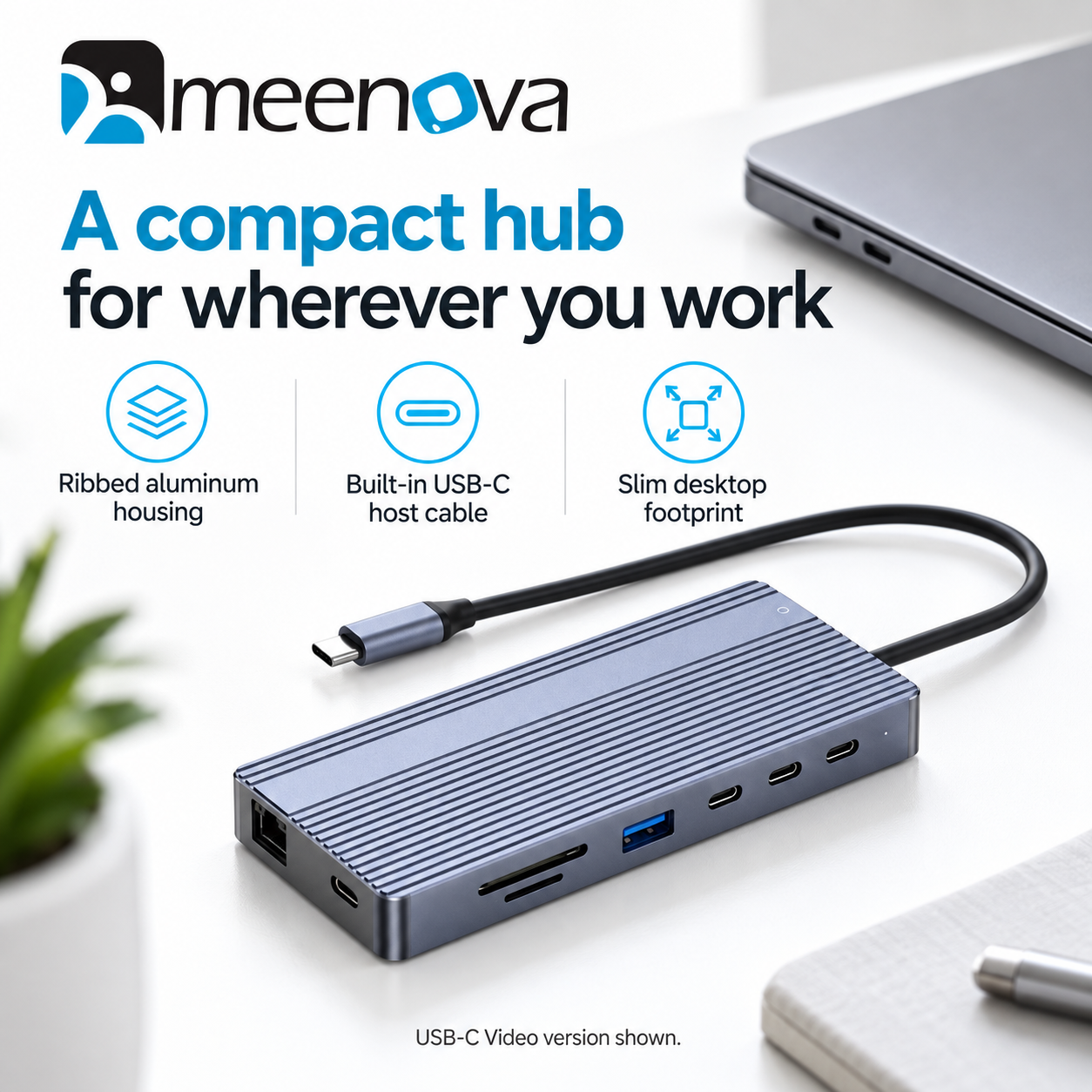


MEENOVA · 14-IN-1 USB-C DOCKING STATION
Your desk. Fully connected.
Bring your displays, storage, network and everyday accessories together with one compact USB-C dock. Choose the video connection that matches your monitor setup, while keeping dual HDMI, fast USB data and Gigabit Ethernet within reach.
Choose your display connection
Each option is a separate 14-in-1 version. Select one version for your setup; the USB-C video, DisplayPort and VGA outputs are not all included on the same dock.
| Version | Video outputs | Third video output |
|---|---|---|
| USB-C Video + Dual HDMI | 2 × HDMI + 1 × USB-C video | Up to 4K at 60Hz; dedicated port also supports up to 10Gbps data |
| DisplayPort + Dual HDMI | 2 × HDMI + 1 × DisplayPort | DisplayPort up to 4K at 60Hz |
| VGA + Dual HDMI | 2 × HDMI + 1 × VGA | VGA up to 1080p at 60Hz |
All three versions list HDMI output up to 4K at 60Hz. These are individual output maximums. Available resolutions and refresh rates change with the host computer, cables, monitors and number of active displays.
USB-C Video + Dual HDMI
Choose this version for a monitor with compatible USB-C video input. Its dedicated video/data USB-C port supports video up to 4K at 60Hz and data up to 10Gbps, in addition to the three dedicated USB-C data ports. Use a USB-C cable that supports video; a charging-only cable will not provide a display signal.
DisplayPort + Dual HDMI
Choose this version for a DisplayPort monitor alongside your HDMI displays. The dedicated DisplayPort output supports up to 4K at 60Hz, subject to your display configuration.
VGA + Dual HDMI
Choose this version for a VGA monitor or projector alongside HDMI displays. VGA output supports up to 1080p at 60Hz. Use the appropriate separate audio connection when needed.
More room for your work
Windows: compatible computers can extend across up to three external displays. Together with the laptop screen, this creates up to four screens showing different content. Your computer must support the requested number of displays.
macOS: external screens connected through this dock mirror one another. The Mac screen can show different content, but separate extended desktops across multiple external monitors are not supported.
External displays require a compatible USB-C host with video output. A USB-C connector alone does not guarantee display support.
Everyday connections, built in
- Three dedicated USB-C data ports: up to 10Gbps for compatible storage and peripherals.
- Three USB-A ports: connect storage, a keyboard, mouse and other accessories. Speed allocation varies by version.
- Gigabit Ethernet: RJ45 networking supports 10/100/1000Mbps.
- SD and microSD slots: access photos and files without a separate card reader.
- 3.5mm audio and microphone: connect a compatible headset for calls and listening.
- Built-in USB-C host cable: a compact ribbed aluminum housing makes the dock easy to keep on your desk or carry with your laptop.
14 ports in each version
| Connection | Quantity | Function |
|---|---|---|
| HDMI | 2 | Video output, up to 4K at 60Hz per output |
| Version-specific video port | 1 | USB-C video, DisplayPort or VGA — as selected |
| USB-C data | 3 | Up to 10Gbps; these are distinct from the video and PD ports |
| USB-A data | 3 | Speed configuration varies by version |
| USB-C PD input | 1 | Up to 100W power input |
| RJ45 | 1 | 10/100/1000Mbps Ethernet |
| SD + microSD / TF | 2 | One memory-card slot each |
| 3.5mm audio + microphone | 1 | Compatible headset connection |
The built-in USB-C cable connects the dock to your computer and is separate from the 14 ports listed above.
Charge while you connect
The USB-C PD input accepts up to 100W from a compatible power source. Power is shared between the dock, attached accessories and laptop, so input wattage is not the same as laptop charging output.
The supplied USB-C Video version information specifies PD 3.0 and up to 85W laptop charging. A separate laptop-output rating is not provided for the DisplayPort and VGA versions. Actual charging depends on the power source, cable and host requirements.
Use the labeled PD input for external power. Do not confuse it with the USB-C data ports or the dedicated USB-C video port on the USB-C Video version.
Dimensions and specifications
| Item | Supplied specification |
|---|---|
| USB-C Video model | DS035C |
| USB-C Video body size | 130 × 61 × 15.5mm (approximately 5.12 × 2.40 × 0.61in) |
| USB-C Video materials | Aluminum alloy + ABS |
| DisplayPort / VGA dimensions | Separate version-specific dimensions not supplied |
| Weight | Not specified in the supplied product information |
Performance notes
USB and network figures describe maximum interface rates, not guaranteed real-world throughput. Display, storage and charging performance depend on the connected equipment. Monitors, laptops, power sources, storage devices, memory cards and headsets shown in lifestyle images are illustrative.
Highlights explained
Connections
14-in-1 layout
The 14-in-1 layout connection layout reduces the need for separate accessories. Each connection has its own role and limit; available bandwidth or charging power may be shared.
Interface bandwidth
10Gbps USB
The listed interface rate is up to 10Gbps USB. Actual file-copy speed depends on both devices, the cable, storage, software and file sizes; interface bandwidth is not a guaranteed transfer speed.
Wired network
Gigabit Ethernet
The Gigabit Ethernet Ethernet connection links a compatible host to a wired network. Actual network throughput depends on the host, switch, cable and service, not just the port rating.
Display output
Dual HDMI + selected output
Choose a separate USB-C video, DisplayPort or VGA version. These third video outputs are not all fitted to one dock, and their resolutions differ.
Practical use
Matching a dock to the monitor connections already in use
Use the product for Matching a dock to the monitor connections already in use, with compatible equipment and the specified connection. Plan the space, power source and accessories needed for that task before ordering.