


Expand Your USB-C Workspace
Connect displays, USB devices, memory cards and a wired network through one compact hub. The Meenova 10-in-1 USB-C Hub combines everyday connections with USB-C PD charging support in a gray aluminum-alloy body.
Choose Your Video Outputs
HD105A — Dual HDMI: For a setup with two HDMI displays. One HDMI 2.1 output supports up to 8K at 30Hz or 4K at 120Hz; the second HDMI output supports 4K.
HD105 — HDMI + DisplayPort: For a setup with one HDMI display and one DisplayPort display. HDMI 2.1 and DisplayPort 1.4 each support up to 8K at 30Hz or 4K at 120Hz with a compatible setup.
These are individual port limits, not a promise of simultaneous dual-8K output. Available resolution, refresh rate and display arrangements depend on the computer, operating system, displays and cables.
Connections for Real Work
- Keep reference material beside your work. Connect two external displays to compare documents, review a spreadsheet or keep a reference page visible. Check the supported display modes below before choosing a setup.
- Organize photos and connect your tools. Read an SD or microSD card, connect USB storage and keep a keyboard or mouse attached. Two USB-A ports and one USB-C data port support USB 3.0 transfer rates up to 5Gbps. The SD and microSD slots cannot read cards simultaneously.
- Keep charging while you use the hub. Connect a compatible power adapter to the USB-C PD port. The port has an up-to-100W PD rating; actual laptop charging power depends on the setup and is not guaranteed to reach 100W.
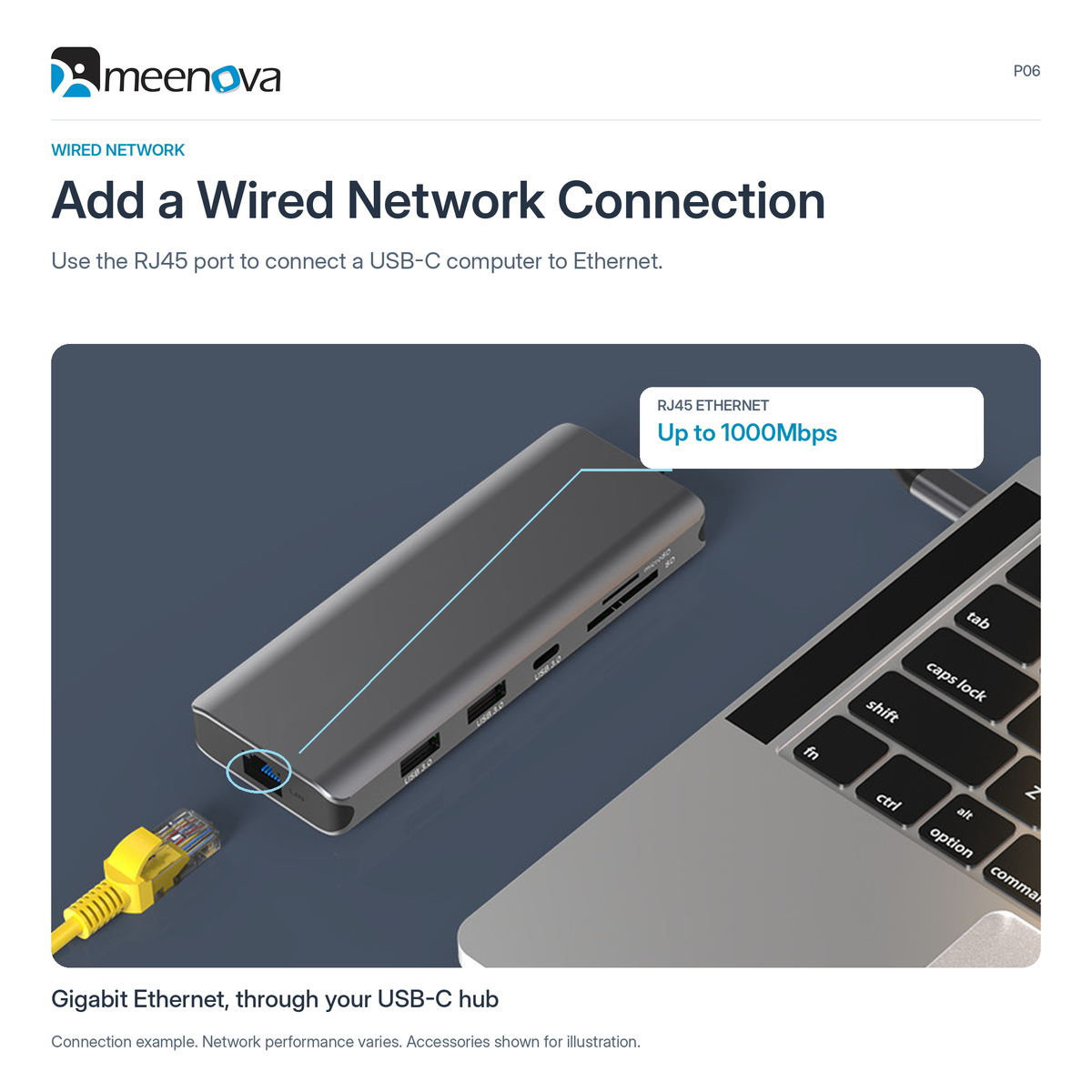
- Add a wired network connection. Use the RJ45 port to connect a USB-C computer to an Ethernet network, with a supported link rate up to 1000Mbps.
- Connect wired audio. The 3.5mm audio port adds an audio connection alongside your display, data and network ports.
Check Your Display Mode Before Ordering
Windows: Compatible systems support mirrored or extended displays, including different content on the laptop and two external monitors (A + B + C).
macOS: The Dual HDMI display guide shows the two external monitors displaying the same content as each other: A + A + A or A + B + B, not three independent screens (A + B + C). Do not assume three independent displays on a Mac; confirm the exact computer and hub configuration before ordering, especially for the HDMI + DisplayPort version.
Linux: Listed as a supported operating system; specific multi-display arrangements have not been confirmed.
Before ordering, confirm your computer's USB-C video-output and charging capabilities. A USB-C connector alone does not establish compatibility with every hub function.
Specifications
| Models | HD105A: Dual HDMI; HD105: HDMI + DisplayPort |
|---|---|
| Host connection | Attached USB-C cable |
| Video outputs | HD105A: 1 × HDMI 2.1 + 1 × HDMI 2.0; HD105: 1 × HDMI 2.1 + 1 × DisplayPort 1.4 |
| Individual video-output limits | HDMI 2.1 / DisplayPort 1.4: up to 8K at 30Hz or 4K at 120Hz. HD105A second HDMI: 4K support. Simultaneous output modes are not equivalent to the individual port limits. |
| USB data ports | 2 × USB-A + 1 × USB-C; USB 3.0, up to 5Gbps |
| Power delivery | 1 × USB-C PD charging port; up to 100W PD rating. Full 100W delivery to the computer is not guaranteed. |
| Wired network | 1 × RJ45 Gigabit Ethernet; up to 1000Mbps |
| Card slots | 1 × SD + 1 × microSD / TF; simultaneous card reading is not supported |
| Audio | 1 × 3.5mm audio port |
| Housing and color | Gray aluminum-alloy housing; HD105A smooth finish, HD105 ribbed finish |
| Body dimensions | 118 × 48 × 15 mm (L × W × H; attached cable not included in body dimensions) |
| Listed operating systems | Windows, macOS and Linux; display-mode support varies by system and computer |
Product & Package Information
The hub has an attached USB-C host cable. Computers, monitors, chargers, memory cards, storage devices and separate cables shown in application images are connection examples, not a package-content list.
Highlights explained
Connections
10-in-1 layout
The 10-in-1 layout connection layout reduces the need for separate accessories. Each connection has its own role and limit; available bandwidth or charging power may be shared.
Interface bandwidth
5Gbps USB
The listed interface rate is up to 5Gbps USB. Actual file-copy speed depends on both devices, the cable, storage, software and file sizes; interface bandwidth is not a guaranteed transfer speed.
Wired network
Gigabit Ethernet
The Gigabit Ethernet Ethernet connection links a compatible host to a wired network. Actual network throughput depends on the host, switch, cable and service, not just the port rating.
PD power input
100W input rating
The listed 100W input rating PD rating describes the stated power path. Some input power may be used by the hub, so the input rating must not be treated as guaranteed charging power delivered to the host.
Display output
Selected HDMI / DP version
Maximums differ by port and setup. The listed 8K/30Hz or 4K/120Hz values are individual port limits, not simultaneous dual-8K output.
Practical use
Adding displays, cards and wired peripherals to a USB-C workspace
Use the product for Adding displays, cards and wired peripherals to a USB-C workspace, with compatible equipment and the specified connection. Plan the space, power source and accessories needed for that task before ordering.